Wednesday, 5 February 2014

How to Remove/Disable/Block Ads on Youtube Videos

youtube


YouTube, Ranking #3 in Alexa Ranking, shows its popularity at extreme, this website is busy in introducing new methods to generate revenue as much as they can.
YouTube deploys three types of advertisements viz., 
  1. Text ads
  2. In-stream video ads
  3. Image ads
on most popular and most viewed videos to generate revenue.

These ads generate millions of dollar for YouTube and its uploaders on a daily basis. While YouTube viewers are adjusted with text and image ads, in-stream videos ads on the other hand are not preferred by a lot of YouTube users as it looses interest in watching them.

Many methods are introduced to get rid of annoying ads on Youtube.
In Detail, We can say that these Ads can be either Blocked or Disabled Or Can be Removed by Many methods.
These Differ from Various Browsers used by the Online Streamer.

For Chrome Browser

Google Chrome, is a browser that combines a minimal design with sophisticated technology to make the web faster, safer, and easier.
The methods Include.,
  1. Hide in-video ads and annotations
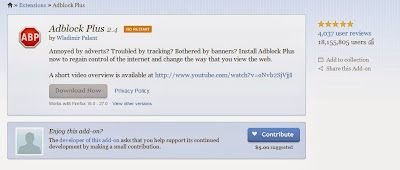
  2. Install AdBlock Plus
There are many a methods to block annoying ads., but we prefer these two methods for safe and security reasons.

Hide in-video ads and annotations


Step 1 : Download the Plug-in here
Step 2 : Install The extension downloaded
Step 3 : Enable Block video ads and Block video annotations


Install Adblock Plus to disable Ads on YouTube

Adblock Plus is the world’s most popular browser extension, used by millions of users worldwide. It is a community-driven open source project, and hundreds of volunteers are contributing to the success of Adblock Plus to make sure that all annoying ads are automatically blocked.

Step 1 : Download and install the Adblock extension on your browser
Step 2 : Enable AdBlock Plus Extension

For Mozilla FireFox

Mozilla FireFox, one of the Best, Fast, Efficient Browsers available Online. For Mozilla FireFox,
There are two methods.,
  1. Install the Adblock
  2. Simple Script to remove in-video advertisements

Install the Adblock

Step 1 : Download and install the Adblock extension on your browser
Step 2 : Add the Addon to your browser
addon

Simple Script to remove in-video advertisements

A simple script that is designed to do exactly one thing: remove in-video advertisements.

Simple installation instructions for Firefox


  1. Click Here and press the green installation button
  2. After installation of the add-on, restart Firefox
  3. Open the Link and press the Install button.
  4. Profit!

From the above methods, you won’t be ever pestered with any irritating ads again on YouTube and any other websites.


NOTE: Feel Free To Comment.....
Unknown  /  at  20:04  /  No comments

youtube


YouTube, Ranking #3 in Alexa Ranking, shows its popularity at extreme, this website is busy in introducing new methods to generate revenue as much as they can.
YouTube deploys three types of advertisements viz., 
  1. Text ads
  2. In-stream video ads
  3. Image ads
on most popular and most viewed videos to generate revenue.

These ads generate millions of dollar for YouTube and its uploaders on a daily basis. While YouTube viewers are adjusted with text and image ads, in-stream videos ads on the other hand are not preferred by a lot of YouTube users as it looses interest in watching them.

Many methods are introduced to get rid of annoying ads on Youtube.
In Detail, We can say that these Ads can be either Blocked or Disabled Or Can be Removed by Many methods.
These Differ from Various Browsers used by the Online Streamer.

For Chrome Browser

Google Chrome, is a browser that combines a minimal design with sophisticated technology to make the web faster, safer, and easier.
The methods Include.,
  1. Hide in-video ads and annotations
  2. Install AdBlock Plus
There are many a methods to block annoying ads., but we prefer these two methods for safe and security reasons.

Hide in-video ads and annotations


Step 1 : Download the Plug-in here
Step 2 : Install The extension downloaded
Step 3 : Enable Block video ads and Block video annotations


Install Adblock Plus to disable Ads on YouTube

Adblock Plus is the world’s most popular browser extension, used by millions of users worldwide. It is a community-driven open source project, and hundreds of volunteers are contributing to the success of Adblock Plus to make sure that all annoying ads are automatically blocked.

Step 1 : Download and install the Adblock extension on your browser
Step 2 : Enable AdBlock Plus Extension

For Mozilla FireFox

Mozilla FireFox, one of the Best, Fast, Efficient Browsers available Online. For Mozilla FireFox,
There are two methods.,
  1. Install the Adblock
  2. Simple Script to remove in-video advertisements

Install the Adblock

Step 1 : Download and install the Adblock extension on your browser
Step 2 : Add the Addon to your browser
addon

Simple Script to remove in-video advertisements

A simple script that is designed to do exactly one thing: remove in-video advertisements.

Simple installation instructions for Firefox


  1. Click Here and press the green installation button
  2. After installation of the add-on, restart Firefox
  3. Open the Link and press the Install button.
  4. Profit!

From the above methods, you won’t be ever pestered with any irritating ads again on YouTube and any other websites.


NOTE: Feel Free To Comment.....

Posted in: Read Complete Article»

How to See Online Friends in Facebook Chat being Offline

Facebook-local-search


Facebook, The best Social networking site as of now, is very busy in updating its features. Recently it has introduced a new concept , which can change the current status to offline only to desired person instead of everyone. But we can who all the friend's online, while you being offline in Facebook Chat by using a simple application. This application runs in your profile and shows the current online friends without making you to appear online.


Follow the below steps and find your online friends while you being offline

Step 1 : Login to Facebook Account

Login into your Facebook account and click on chat settings
facebook-login

Step 2 : Turn off Chat

After Logging into your account, goto chat settings options and Turn off Chat Option
turn-off-chat

Step 3 : Check on the wesbite

Check in to the website NewOnlineNow and add the application

Step 4 : Allow to access

After clicking the link, you will be asked to verify the application options and Allow to access your profile.

Done..! You can now check the online contacts of your profile by  being offline..!
Now enjoy checking your online friends. Its 100% working efficiently and is of no Spams and Hacks.


NOTE: Feel Free To Comment.....
Unknown  /  at  19:43  /  No comments

Facebook-local-search


Facebook, The best Social networking site as of now, is very busy in updating its features. Recently it has introduced a new concept , which can change the current status to offline only to desired person instead of everyone. But we can who all the friend's online, while you being offline in Facebook Chat by using a simple application. This application runs in your profile and shows the current online friends without making you to appear online.


Follow the below steps and find your online friends while you being offline

Step 1 : Login to Facebook Account

Login into your Facebook account and click on chat settings
facebook-login

Step 2 : Turn off Chat

After Logging into your account, goto chat settings options and Turn off Chat Option
turn-off-chat

Step 3 : Check on the wesbite

Check in to the website NewOnlineNow and add the application

Step 4 : Allow to access

After clicking the link, you will be asked to verify the application options and Allow to access your profile.

Done..! You can now check the online contacts of your profile by  being offline..!
Now enjoy checking your online friends. Its 100% working efficiently and is of no Spams and Hacks.


NOTE: Feel Free To Comment.....

Posted in: Read Complete Article»

Download FastPictureViewer 1.9 Build 332


FastPictureViewer, an image viewer designed for photographers. Now with powerful workflow tools helping to automate file management duties like copy, move, delete, save-for-web and more.
  • Fastest RAW viewer ever. Period.
  • Instant zooming to 100% view, for quick sharpness checks. Best in industry!
  • RGB histogram, EXIF shooting data and Adobe XMP Rating/Label/Urgency instant display.
  • Instantaneous display of the next image in line (when computer resources allows).
  • Instant industry-standard Adobe XMP compatible rating and tagging.
  • Fast tethered shooting through MTP/PTP. Tether a Nikon D3S or D3X in 64 bit, today!
  • Supports most common image formats, including Adobe DNG, plus specialists formats such as OpenEXR, DDS, PNM and more, through separately installable image codecs.


click here to download 32bit version.....

click here to download 64bit version.....


NOTE: feel Free To Comment.....
Unknown  /  at  19:00  /  No comments


FastPictureViewer, an image viewer designed for photographers. Now with powerful workflow tools helping to automate file management duties like copy, move, delete, save-for-web and more.
  • Fastest RAW viewer ever. Period.
  • Instant zooming to 100% view, for quick sharpness checks. Best in industry!
  • RGB histogram, EXIF shooting data and Adobe XMP Rating/Label/Urgency instant display.
  • Instantaneous display of the next image in line (when computer resources allows).
  • Instant industry-standard Adobe XMP compatible rating and tagging.
  • Fast tethered shooting through MTP/PTP. Tether a Nikon D3S or D3X in 64 bit, today!
  • Supports most common image formats, including Adobe DNG, plus specialists formats such as OpenEXR, DDS, PNM and more, through separately installable image codecs.


click here to download 32bit version.....

click here to download 64bit version.....


NOTE: feel Free To Comment.....

Posted in: , Read Complete Article»

15 Features Of VLC Player That You Probably Don’t Know About


VLC Player being the most celebrated open source media player is also ranked as the best among thousands of media players available out there.The latest version unleashed new horizons for controlling, managing, & customizing media files regardless of any format they belongs to. For novices, it comes across as only a “Media Player” but the fact is, it empowers users with a multitude of playback, recording, and streaming options. What makes it stand out is  minimalistic & simple IDE, smooth playback, capacitating users with multiple file format support and much more. From the day VideoLAN dev team gushed forth VLC Player for the general public, we have seen a mass switch from other eminent media players.
Let’s glance at the most overlooked features it offers.

Don't Have VLC Player, Download it from here......


Extravagant Video Effects

VLC  includes numerous aesthetic video effects, such as; Image adjustment, Transformation, Video cropping, Geometrical view & magnification, Video rotation, Color fun, and Image modification. You can access these video features through Extended Settings from the main VLC IDE. Switching to Video Effects tab will show up these features in numerous tabs.

Basic Image Adjustments

VLC provides basic image adjustment options. Under the Basic tab, you can play around with various color adjustments; Hue, Contrast, Brightness, Gamma, etc. On adjusting the color,  you can view changes in real time. Color adjustment options can also be very helpful especially when you are playing a video, having noise, glitches and lacks normal color pattern.
vlc-1

Video Sharpness Effect

Apart from basic image adjustment options, there is another feature which will let you adjust video sharpness up to the acme of clarity. Under the Basic tab, enable Sharpen option and adjust the sigma control as required. It will show you the changes in real time so you can promptly adjust sharpness accordingly.
Scrutinize the wonderful sharp effect it produced in the video shown below.
sharpness

Transforming To Different Angles

The Transform option allows you to rotate video by multiple degrees. Enabling Transform option would activate the video rotation feature. It offers rotation in 90,180, and 270 degrees. This comes useful if you have a video that you recorded via the camcorder in a different angle.
rotate1

Video Magnification/Zoom In & Out

Another intriguing feature is Video Magnification. Under Geometry tab, enable Magnification/Zoom option, to let it zoom in/out the video. You will see a small window at top left corner with the main magnification control. Fill in the triangle by clicking it to zoom into the video. To view the desired video portion, move the square capturing screen across the box.
zoom vlc

Video Rotation

With an excellent rotation feature, you can rotate the video in any direction. Enable Rotation option, and start moving the rotary control.
rotatation 2

Add A Bit Fun With Puzzle Game

The moment you hit Puzzle game option, it would turn the video into puzzling pieces. Enter number of columns & rows in which you need to solve out video puzzle. It divides the video into specified chunks on the screen.
puzzle game
Under Color fun tab, you can play around with colors, there is absolutely no list of colors to select from. You can write color code to introduce it in the video. Apart from this, through Color Extraction option, you can enter a specific color code to extract it from the video.
color extarction

Panoramic View (Optimal For Muti-Screen)

Vout/Overlay is another superb feature, allowing video junkies to spread the video on the desktop wall in multiple windows. In this way, you can handle, manage and change the position of the video parts separated in windows. To make this effect look awesome, try it on a large HD TV or projector. On the left side enabling Add text option would add the text in each window.
vout overlay1

vout

Adding Logo

An overlaying logo option comes in handy, you can easily insert a logo (PNG/JPG format) in the video as a watermark. It also helps in overlaying existing logo with an image. To make use of this feature, under Logo tab, specify the full path of the image where it is residing, adjust transparency control and allocate the position. The importance of this feature is that you can add the company logo while giving a video presentation.

logo 1

Synchronization

Kudos to VLC for bringing up sync feature, those who haven’t used it yet, really missed out an important one. Under the Synchronization tab, you can manually manage the A/V (Audio/video) sync and deal with them by adjusting the time. Most of the converted videos lacks A/V sync primarily because of a change in FPS (Frames Per Second), this actually invokes the problem of either video or audio lagging behind. For adjusting the A/V sync problem, change the values in Advance of audio over the video input pane, positive value refers to as video is lagging behind and the converse is the case with negative values which refers to as audio lagging behind.
Right beneath A/V sync settings, you will find Subtitle settings, to make subtitle properly sync with video, i.e, appears on right time. Adjust the timing in a way as defined in aforementioned criteria for A/V sync, positive values refers to subtitles showing up ahead of the video. At the bottom, you can change the subtitles speed. It may happen sometimes, on downloading subtitles from different sources, or from different authors, the speed (FPS) is not aligned with the video FPS, i.e, video running on different FPS and conversely subtitles FPS differs. To cope up with this problem, speeding of the subtitles option helps amazingly.
sync

Record Webcam Video

Recording video from a webcam is another awesome feature VLC offers. It automatically populates the list of devices attached to your system. To record a video from the Webcam, under Media menu, click Capture Device. From Video device name, select the webcam device and click Play. It will turn on the webcam, from its main IDE, you can start recording the video instantly
capture device
web cam

Bookmarking Media

Now this must be surprising to most users. Did you know that you can bookmark as well? VLC allow users to bookmark media files, whether you are playing it from local media, or streaming it from any remote location. You can instantly bookmark the media file and access it anytime later.
bookmark

Advance Open File

Bluray DVD discs & rips come with separate audio channels for giving the real effect of surrounded sound. Unlike others, VLC features Advance Open File option, which allows you to open a video file along with the separate audio file (if existed). You will find rip-less video synchronization with the external audio file ‘phenomenal’. Next time, you are planning on playing Bluray rip, take a whirl of this feature.
advance play

Take Snapshots (PNG,JPG Format Supported)

As VLC offers instantaneous pause and allows playback in frames. You might need to take a snapshot of either specific frame or an instant paused frame. Guess what? VLC lets you take screenshots as well. You can capture a frame either by pausing the video, or while playing video frame-by-frame. To take snapshot more promptly assign a hotkey to snapshot feature from VLC Preferences. Otherwise from Video menu, click Snapshot to capture a screenshot of a frame.
screenshots

Customize Interface

There are so many features & functions VLC offers which makes it distinctive from others, Among those features, one is interface customization feature. Under the View menu, you will find Customize Interface. It allows you to; change menus, buttons, add/delete buttons, change layout of main layout, and change playback controls positions as well.
inerface custom
Here you can see some customizations that I have performed on the main interface.
changed

Debug Logging

Want to know what went wrong with Video FPS, codecs you are using, why some feature is not compatible, or why you are encountering lagging and other relevant issues? VLC can tell you about any problem. With its intrinsic Debug logging feature, it can inform you about info like; lack of correspondence (in Network), video discrepancy, why feature is not supported or not compatible, which CODEC is missing, app crash, and erratic A/V halt due to unidentifiable reason. To view the log, from the View menu, under Add Interlace, click Debug logging.
dubugger 1
The journey doesn’t stop here, apart from the features we have covered above, they are still a lot more small ones. The developers are also adding new features and functionality with every new release.


NOTE: Feel Free To Comment.....
Unknown  /  at  00:41  /  No comments


VLC Player being the most celebrated open source media player is also ranked as the best among thousands of media players available out there.The latest version unleashed new horizons for controlling, managing, & customizing media files regardless of any format they belongs to. For novices, it comes across as only a “Media Player” but the fact is, it empowers users with a multitude of playback, recording, and streaming options. What makes it stand out is  minimalistic & simple IDE, smooth playback, capacitating users with multiple file format support and much more. From the day VideoLAN dev team gushed forth VLC Player for the general public, we have seen a mass switch from other eminent media players.
Let’s glance at the most overlooked features it offers.

Don't Have VLC Player, Download it from here......


Extravagant Video Effects

VLC  includes numerous aesthetic video effects, such as; Image adjustment, Transformation, Video cropping, Geometrical view & magnification, Video rotation, Color fun, and Image modification. You can access these video features through Extended Settings from the main VLC IDE. Switching to Video Effects tab will show up these features in numerous tabs.

Basic Image Adjustments

VLC provides basic image adjustment options. Under the Basic tab, you can play around with various color adjustments; Hue, Contrast, Brightness, Gamma, etc. On adjusting the color,  you can view changes in real time. Color adjustment options can also be very helpful especially when you are playing a video, having noise, glitches and lacks normal color pattern.
vlc-1

Video Sharpness Effect

Apart from basic image adjustment options, there is another feature which will let you adjust video sharpness up to the acme of clarity. Under the Basic tab, enable Sharpen option and adjust the sigma control as required. It will show you the changes in real time so you can promptly adjust sharpness accordingly.
Scrutinize the wonderful sharp effect it produced in the video shown below.
sharpness

Transforming To Different Angles

The Transform option allows you to rotate video by multiple degrees. Enabling Transform option would activate the video rotation feature. It offers rotation in 90,180, and 270 degrees. This comes useful if you have a video that you recorded via the camcorder in a different angle.
rotate1

Video Magnification/Zoom In & Out

Another intriguing feature is Video Magnification. Under Geometry tab, enable Magnification/Zoom option, to let it zoom in/out the video. You will see a small window at top left corner with the main magnification control. Fill in the triangle by clicking it to zoom into the video. To view the desired video portion, move the square capturing screen across the box.
zoom vlc

Video Rotation

With an excellent rotation feature, you can rotate the video in any direction. Enable Rotation option, and start moving the rotary control.
rotatation 2

Add A Bit Fun With Puzzle Game

The moment you hit Puzzle game option, it would turn the video into puzzling pieces. Enter number of columns & rows in which you need to solve out video puzzle. It divides the video into specified chunks on the screen.
puzzle game
Under Color fun tab, you can play around with colors, there is absolutely no list of colors to select from. You can write color code to introduce it in the video. Apart from this, through Color Extraction option, you can enter a specific color code to extract it from the video.
color extarction

Panoramic View (Optimal For Muti-Screen)

Vout/Overlay is another superb feature, allowing video junkies to spread the video on the desktop wall in multiple windows. In this way, you can handle, manage and change the position of the video parts separated in windows. To make this effect look awesome, try it on a large HD TV or projector. On the left side enabling Add text option would add the text in each window.
vout overlay1

vout

Adding Logo

An overlaying logo option comes in handy, you can easily insert a logo (PNG/JPG format) in the video as a watermark. It also helps in overlaying existing logo with an image. To make use of this feature, under Logo tab, specify the full path of the image where it is residing, adjust transparency control and allocate the position. The importance of this feature is that you can add the company logo while giving a video presentation.

logo 1

Synchronization

Kudos to VLC for bringing up sync feature, those who haven’t used it yet, really missed out an important one. Under the Synchronization tab, you can manually manage the A/V (Audio/video) sync and deal with them by adjusting the time. Most of the converted videos lacks A/V sync primarily because of a change in FPS (Frames Per Second), this actually invokes the problem of either video or audio lagging behind. For adjusting the A/V sync problem, change the values in Advance of audio over the video input pane, positive value refers to as video is lagging behind and the converse is the case with negative values which refers to as audio lagging behind.
Right beneath A/V sync settings, you will find Subtitle settings, to make subtitle properly sync with video, i.e, appears on right time. Adjust the timing in a way as defined in aforementioned criteria for A/V sync, positive values refers to subtitles showing up ahead of the video. At the bottom, you can change the subtitles speed. It may happen sometimes, on downloading subtitles from different sources, or from different authors, the speed (FPS) is not aligned with the video FPS, i.e, video running on different FPS and conversely subtitles FPS differs. To cope up with this problem, speeding of the subtitles option helps amazingly.
sync

Record Webcam Video

Recording video from a webcam is another awesome feature VLC offers. It automatically populates the list of devices attached to your system. To record a video from the Webcam, under Media menu, click Capture Device. From Video device name, select the webcam device and click Play. It will turn on the webcam, from its main IDE, you can start recording the video instantly
capture device
web cam

Bookmarking Media

Now this must be surprising to most users. Did you know that you can bookmark as well? VLC allow users to bookmark media files, whether you are playing it from local media, or streaming it from any remote location. You can instantly bookmark the media file and access it anytime later.
bookmark

Advance Open File

Bluray DVD discs & rips come with separate audio channels for giving the real effect of surrounded sound. Unlike others, VLC features Advance Open File option, which allows you to open a video file along with the separate audio file (if existed). You will find rip-less video synchronization with the external audio file ‘phenomenal’. Next time, you are planning on playing Bluray rip, take a whirl of this feature.
advance play

Take Snapshots (PNG,JPG Format Supported)

As VLC offers instantaneous pause and allows playback in frames. You might need to take a snapshot of either specific frame or an instant paused frame. Guess what? VLC lets you take screenshots as well. You can capture a frame either by pausing the video, or while playing video frame-by-frame. To take snapshot more promptly assign a hotkey to snapshot feature from VLC Preferences. Otherwise from Video menu, click Snapshot to capture a screenshot of a frame.
screenshots

Customize Interface

There are so many features & functions VLC offers which makes it distinctive from others, Among those features, one is interface customization feature. Under the View menu, you will find Customize Interface. It allows you to; change menus, buttons, add/delete buttons, change layout of main layout, and change playback controls positions as well.
inerface custom
Here you can see some customizations that I have performed on the main interface.
changed

Debug Logging

Want to know what went wrong with Video FPS, codecs you are using, why some feature is not compatible, or why you are encountering lagging and other relevant issues? VLC can tell you about any problem. With its intrinsic Debug logging feature, it can inform you about info like; lack of correspondence (in Network), video discrepancy, why feature is not supported or not compatible, which CODEC is missing, app crash, and erratic A/V halt due to unidentifiable reason. To view the log, from the View menu, under Add Interlace, click Debug logging.
dubugger 1
The journey doesn’t stop here, apart from the features we have covered above, they are still a lot more small ones. The developers are also adding new features and functionality with every new release.


NOTE: Feel Free To Comment.....

Posted in: Read Complete Article»

Tuesday, 4 February 2014

How to Find your Lost Android Phone/ Tablet

Android-apps-to-find-lost-phone

Yesterday night you are in full hangover in a party, dancing all over. What you didn't care about is your Phone.
The next day after you woke up and you realized that your phone is gone ! And sometimes you misplace your phone somewhere in couch cushions and the worst condition is that it is in silent mode. Don't Panic !
We have heap of apps that lets you to track your android phone. But we filtered out the best ones
Here is how to find lost android phone or tablet.


Top 5 Security Apps to Track the Lost Android Phone

1. Android Device Manager

The App Android Device Manager is released by Google Available for free in Play Store , the app lets users manage and secure an Android tablet or phone associated with their Google account from PC or any other Android device
Steps to use Android Device Manager
Android-Device-Manager
  • If You have misplaced your phone somewhere in your house, Click Ring icon and your phone rings with the maximum volume even if it's been in silent mode
  • If you have stored any valuable information, you can Erase that data from reach of others suspicious persons
Google Play Link: Android Device Manager

2. Where's My Droid

Wheres-My-Droid

With Where's My Droid, you text a secret "attention" word or phrase to the phone. That activates the app's find-me mode, which switches the phone from vibrate to ringer, cranks the volume, and makes it ring for 30 seconds.
Alternately, you can text a different word to enable GPS mode. Once the phone locates itself, Where's My Droid will respond with its exact coordinates. These are provided as latitude and longitude, which you can enter into Google Maps to get a real-world location.

What's nice about Where's My Droid is that, unlike a lot of other phone-finder apps, it's not constantly transmitting location information, so it should have minimal impact on your battery.

Google Play Link: Where's My Droid

3. Bit Defender Anti-Theft

bitdefender

Bitdefender Anti-Theft on Android requires you to setup a PIN in order to protect your device. Bitdefender Anti-Theft requires you to grant permissions to the app as a Device Administrator. As a Device Administrator, Anti-Theft will have full access to your device’s operations in order to maximize security. Without the PIN, you will not be able to disable or uninstall Anti-Theft
  • It allows you to Locate your device. Using GPS and WiFi information. 
  • You can Lock your device.Wipe data your device. If the data on your device is so sensitive that you can’t afford the risk. 
  • Alert your device. This control will cause your device to emit an alarm–even if it’s set to silent! 
  • Receive alerts whenever the SIM card in your phone has been replaced
Google Play Link: Bit Defender Anti-Theft

4. Plan B

plan-b

This app comes in handy even if you didn't install any tracking app before your Android device was stolen or misplaced. Plan B is an Android app from Lookout Labs which locates your smartphone using cell towers and GPS, then sends the location of your smartphone to your Gmail Inbox.
In some smartphones, Plan B can enable the GPS on the phone then update you with its location every 10 minutes. If your phone doesn't have GPS option you can text ‘location’ from another phone, and details of the missing phone’s location will be sent to your email. In the absence of a data connection, the software will send its location via SMS instead.


Google Play Link: Plan B

5. Prey Anti-Theft

Prey-Anti-Theft

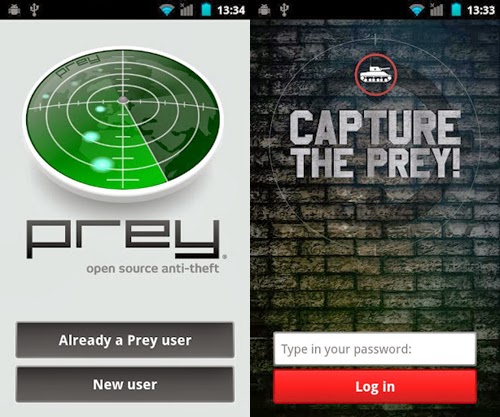
Prey lets you remotely find and track your Android Phone on a map, using geolocation based on GPS or WiFi data. Prey also lets you take pictures using both of your phone cameras (with luck, getting a picture of the thief or any useful location information), push an alert message to the display, and trigger a loud alarm. Prey can report on network information, too, which might also help to narrow down the device's location.

Google Play Link: Prey Anti-Theft
Unknown  /  at  21:28  /  No comments

Android-apps-to-find-lost-phone

Yesterday night you are in full hangover in a party, dancing all over. What you didn't care about is your Phone.
The next day after you woke up and you realized that your phone is gone ! And sometimes you misplace your phone somewhere in couch cushions and the worst condition is that it is in silent mode. Don't Panic !
We have heap of apps that lets you to track your android phone. But we filtered out the best ones
Here is how to find lost android phone or tablet.


Top 5 Security Apps to Track the Lost Android Phone

1. Android Device Manager

The App Android Device Manager is released by Google Available for free in Play Store , the app lets users manage and secure an Android tablet or phone associated with their Google account from PC or any other Android device
Steps to use Android Device Manager
Android-Device-Manager
  • If You have misplaced your phone somewhere in your house, Click Ring icon and your phone rings with the maximum volume even if it's been in silent mode
  • If you have stored any valuable information, you can Erase that data from reach of others suspicious persons
Google Play Link: Android Device Manager

2. Where's My Droid

Wheres-My-Droid

With Where's My Droid, you text a secret "attention" word or phrase to the phone. That activates the app's find-me mode, which switches the phone from vibrate to ringer, cranks the volume, and makes it ring for 30 seconds.
Alternately, you can text a different word to enable GPS mode. Once the phone locates itself, Where's My Droid will respond with its exact coordinates. These are provided as latitude and longitude, which you can enter into Google Maps to get a real-world location.

What's nice about Where's My Droid is that, unlike a lot of other phone-finder apps, it's not constantly transmitting location information, so it should have minimal impact on your battery.

Google Play Link: Where's My Droid

3. Bit Defender Anti-Theft

bitdefender

Bitdefender Anti-Theft on Android requires you to setup a PIN in order to protect your device. Bitdefender Anti-Theft requires you to grant permissions to the app as a Device Administrator. As a Device Administrator, Anti-Theft will have full access to your device’s operations in order to maximize security. Without the PIN, you will not be able to disable or uninstall Anti-Theft
  • It allows you to Locate your device. Using GPS and WiFi information. 
  • You can Lock your device.Wipe data your device. If the data on your device is so sensitive that you can’t afford the risk. 
  • Alert your device. This control will cause your device to emit an alarm–even if it’s set to silent! 
  • Receive alerts whenever the SIM card in your phone has been replaced
Google Play Link: Bit Defender Anti-Theft

4. Plan B

plan-b

This app comes in handy even if you didn't install any tracking app before your Android device was stolen or misplaced. Plan B is an Android app from Lookout Labs which locates your smartphone using cell towers and GPS, then sends the location of your smartphone to your Gmail Inbox.
In some smartphones, Plan B can enable the GPS on the phone then update you with its location every 10 minutes. If your phone doesn't have GPS option you can text ‘location’ from another phone, and details of the missing phone’s location will be sent to your email. In the absence of a data connection, the software will send its location via SMS instead.


Google Play Link: Plan B

5. Prey Anti-Theft

Prey-Anti-Theft

Prey lets you remotely find and track your Android Phone on a map, using geolocation based on GPS or WiFi data. Prey also lets you take pictures using both of your phone cameras (with luck, getting a picture of the thief or any useful location information), push an alert message to the display, and trigger a loud alarm. Prey can report on network information, too, which might also help to narrow down the device's location.

Google Play Link: Prey Anti-Theft

Posted in: Read Complete Article»

Download iTunes 11.1.4 For PC


iTunes is a free application for Mac and PC. It plays all your digital music and video. It syncs content to your iPod, iPhone, and Apple TV. And it's an entertainment superstore that stays open 24/7.
  • Organize your music into playlists
  • Edit file information
  • Record compact discs
  • Copy files to an iPod or other digital audio player
  • Purchase music and videos on the Internet through the built-in iTunes store
  • Run a visualizer to display graphical effects in time to the music
  • Encode music into a number of different audio formats.


click here to download for 64bit window....

click here to download for 32bit window....


NOTE: Feel Free To Comment.....
Unknown  /  at  21:04  /  No comments


iTunes is a free application for Mac and PC. It plays all your digital music and video. It syncs content to your iPod, iPhone, and Apple TV. And it's an entertainment superstore that stays open 24/7.
  • Organize your music into playlists
  • Edit file information
  • Record compact discs
  • Copy files to an iPod or other digital audio player
  • Purchase music and videos on the Internet through the built-in iTunes store
  • Run a visualizer to display graphical effects in time to the music
  • Encode music into a number of different audio formats.


click here to download for 64bit window....

click here to download for 32bit window....


NOTE: Feel Free To Comment.....

Posted in: Read Complete Article»

Monday, 3 February 2014

download HTC Sync 3.3.63


HTC Sync is a free tool to synchronize your media files between your HTC phone (for example Android) and your desktop computer. Other than media files (photos, music and videos) you can also transfer your contacts and calendar entries between your smartphone and PC. HTC Sync includes a photo management tool to organize and edit, for example crop and rotate, your pictures. The music player allows importing playlists from iTunes and Windows Media Player, as well as creating your own playlists that can be synced with your phone. Once setup, browser bookmarks, contacts and calendar synchronize automatically every time your phone and computer are connected. Finally, the data on your PC synced with HTC Sync serves as a backup should you lose your phone.


click here to download......


NOTE: Feel Free To Comment......
Unknown  /  at  23:33  /  1 comment


HTC Sync is a free tool to synchronize your media files between your HTC phone (for example Android) and your desktop computer. Other than media files (photos, music and videos) you can also transfer your contacts and calendar entries between your smartphone and PC. HTC Sync includes a photo management tool to organize and edit, for example crop and rotate, your pictures. The music player allows importing playlists from iTunes and Windows Media Player, as well as creating your own playlists that can be synced with your phone. Once setup, browser bookmarks, contacts and calendar synchronize automatically every time your phone and computer are connected. Finally, the data on your PC synced with HTC Sync serves as a backup should you lose your phone.


click here to download......


NOTE: Feel Free To Comment......

Posted in: Read Complete Article»

Download MySQL 5.6.16

MySQL screenshot 1


MySQL Community Edition is a freely downloadable version of the world's most popular open source database that is supported by an active community of open source developers and enthusiasts.
MySQL delivers enterprise features, including:
  • Partitioning to improve performance and management of very large database environments
  • Row-based/Hybrid Replication for improved replication security
  • Event Scheduler to create and schedule jobs that perform various database tasks
  • XPath Support
  • Dynamic General/Slow Query Log
  • Performance/Load Testing Utility (mysqlslap)
  • Improved! Full Text Search (faster, new dev templates)
  • Improved! Archive engine (better compression, more features)
  • Improved! User session and problem SQL identification
  • Improved! MySQL embedded library (libmysqld)
  • Additional INFORMATION_SCHEMA objects
  • Faster data import operations (parallel file load)
  • ACID Transactions to build reliable and secure business critical applications
  • Stored Procedures to improve developer productivity
  • Triggers to enforce complex business rules at the database level
  • Views to ensure sensitive information is not compromised
  • Information Schema to provide easy access to metadata
  • Pluggable Storage Engine Architecture for maximum flexibility
  • Archive Storage Engine for historical and audit data


click here to download......


NOTE: Feel Free To Comment......
Unknown  /  at  22:05  /  No comments

MySQL screenshot 1


MySQL Community Edition is a freely downloadable version of the world's most popular open source database that is supported by an active community of open source developers and enthusiasts.
MySQL delivers enterprise features, including:
  • Partitioning to improve performance and management of very large database environments
  • Row-based/Hybrid Replication for improved replication security
  • Event Scheduler to create and schedule jobs that perform various database tasks
  • XPath Support
  • Dynamic General/Slow Query Log
  • Performance/Load Testing Utility (mysqlslap)
  • Improved! Full Text Search (faster, new dev templates)
  • Improved! Archive engine (better compression, more features)
  • Improved! User session and problem SQL identification
  • Improved! MySQL embedded library (libmysqld)
  • Additional INFORMATION_SCHEMA objects
  • Faster data import operations (parallel file load)
  • ACID Transactions to build reliable and secure business critical applications
  • Stored Procedures to improve developer productivity
  • Triggers to enforce complex business rules at the database level
  • Views to ensure sensitive information is not compromised
  • Information Schema to provide easy access to metadata
  • Pluggable Storage Engine Architecture for maximum flexibility
  • Archive Storage Engine for historical and audit data


click here to download......


NOTE: Feel Free To Comment......

Posted in: Read Complete Article»

About

This blog belong to all our youngster friendz, who believe in sharing their knowledge with others and want to try to hackin', crackin' , full version applications at free of cost.
you will found here valuable stuffs.

Labels

adf.ly blocked (1) android (109) Android and PC (19) android games (11) android news (3) android tricks (43) Antivirus (11) Anvsoft (1) apple (40) asha phones (1) avast (1) avast pro antivirus 8 2013 (1) avg (1) AVG pc tuneup 2013 full version (1) avira (1) blackberry (1) blogspot (2) body_language (1) bootable usb (1) Browsers (16) c cleaner pro + business (1) Cheatbook 2013 (1) Chetan Bhagat (1) compressor (1) crac (1) Crack (1) crack + keygen (2) cyberlink power2go full version (1) daemon tools 5.2 full version (1) daemon tools patch (1) defender (2) dictionary (1) direct link (1) DivX Pro 7 (1) Ebook (2) eset (1) etc (1) facebook (16) Firewall (2) free recharge tricks (1) free sms (1) FRUIT NINJA for windows full version (1) full version (8) Full Version MS Office 13 (1) GTA Sandreas (1) hack (4) hack pc (3) hacking using keylogger (1) hardware (1) hiDownload platinum 8 (1) how to (6) how to install .net (1) HTML (1) idm (1) idm crack (1) IDM full version (1) image editor (2) install .net in windows 8 (1) internet tricks (37) iPhone 5c (2) job (1) k j activator (1) kaspersky (2) keygen (2) leaked images (1) license key (1) manual updates (1) mediafire (1) MEDIAFIRE DOWNLOAD (2) mediafire link (2) mobiles (42) music player (1) nfs most wanted (1) Office 13 Activator (1) official site update (1) offline updates (1) patch (4) PC (3) pc customize (1) PC Drivers (2) pc games (15) pc games cheats (11) PC Software (152) PC tricks (146) PdaNET 3.50 (1) PDF (3) phone specifications (43) pic viewer (3) power iso 5.6 (1) premium zbigz account (1) problem with .net in windows 8 (1) review (11) reviews (2) Revolution 2020 PDF (1) science (2) sharebeast download (6) sharebeast link (2) symbian mobiles (2) tech knowledge (33) Tech News (343) tech reviews (146) Torrent To IDM (1) Tune-Up 2014 Full Version (1) Ubuntu Mobiles (1) video player (13) video tutorial (1) Web design (1) window 8.1 tricks (12) windows 8 activator (1) Windows 8 USB Installer Maker (1) windows phones (16) winrar 5 full version (1)
Copyright © 2014 SimplyGet. WP Theme-junkie converted by Bloggertheme9
Blogger templates. Proudly Powered by Blogger.